Examples
Extracting tasks grouped by folder
Search the Projects/ folder recursively for incomplete tasks, sorting notes by filename, and grouping the output by their parent folder path:
```moc
folder: Projects
element: Task
filter: is_incomplete()
recursive: true
groupBy: folder
sort: name asc
```
Extracting headings filtered by tag and grouped by tag
Search the entire vault for headings containing the hashtag #review, grouping them under their corresponding tag headings:
```moc
folder: ""
element: Heading
filter: has_tag("#review")
recursive: true
groupBy: tag
```
Filtering by frontmatter properties (equality)
Extract lists from notes in the Archive folder that have the frontmatter property archived: true:
```moc
folder: Archive
element: List
filter: properties(archived == true)
```
Filtering by numeric comparison operators
Extract action item headings from notes where priority is 1 or 2:
```moc
folder: Projects
element: Heading
filter: properties(priority <= 2)
recursive: true
sort: name asc
```
Filtering by date range
Extract all decision blockquotes from notes created in 2024 or later:
```moc
folder: Meetings
element: Blockquote
filter: has_tag("#decision") AND properties(date >= "2024-01-01")
recursive: true
```
Grouping by frontmatter property
Group incomplete tasks by their project property value:
```moc
folder: Work
element: Task
filter: is_incomplete()
groupBy: property(project)
recursive: true
showCount: true
```
Paginating results
Show only the second page of 5 notes (notes 6–10), sorted by modification time:
```moc
folder: Diary
element: List
filter: contains("idea")
sort: mtime desc
limit: 5
offset: 5
```
Excluding folders and files
Scan all meeting notes recursively but skip archived folders and a template file:
```moc
folder: Meetings
element: Task
filter: is_incomplete()
recursive: true
excludeFolder: Meetings/Archive
excludeFile: Meetings/Template
```
Custom template output
Render each matched blockquote as a linked bullet point. First set a Template folder (e.g. Templates) in Settings → Maps of Content, then create a note at Templates/bullet-link.md containing:
- {{content}} — {{link}}
Reference it by name in the moc block:
```moc
folder: Meetings
element: Blockquote
filter: has_tag("#decision")
recursive: true
template: bullet-link
```
Find & Replace rules and spacing customisation
Extract paragraphs containing the word "meeting", applying a chain of two cleanup rules, with empty lines between paragraphs from the same note and divider lines between different note blocks:
```moc
folder: Meetings
element: Paragraph
filter: contains("meeting")
applyFnR: ["remove-redundancies", "clean-headers"]
blockSeparator: newline
noteSeparator: divider
```
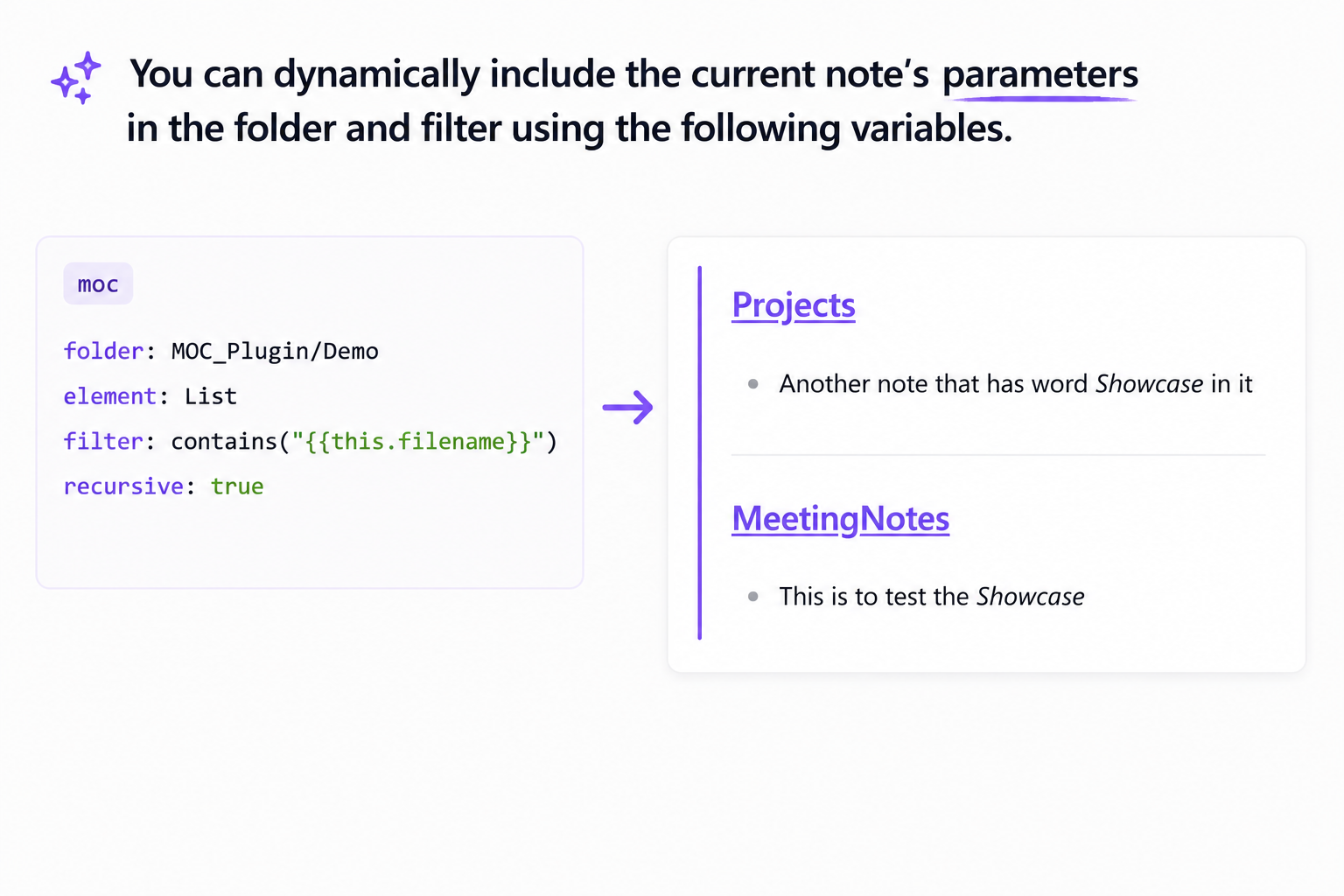
Dynamic parameters
List all elements from the same folder as the current note that reference its filename:
```moc
folder: "{{this.folder}}"
element: List
filter: contains("{{this.filename}}")
recursive: false
```