Code Block Configuration
You can write Map of Content (MOC) queries manually in any markdown file by creating a code block with the language set to moc and adding a YAML configuration.
Syntax Overview
A basic moc code block looks like this:
```moc
folder: Diary
element: List
filter: contains("MOC")
recursive: true
```
Configuration Keys
The following keys are supported in the YAML configuration block:
folder (Required)
The folder path relative to the vault root where the plugin will search for markdown notes.
- Examples:
Diary,Projects/Marketing, or""(empty string to search the entire vault).
element (Required)
The specific markdown element to extract from matching notes. Must be one of the following:
List: Bulleted or numbered list items.Task: Checkbox task items.Heading: Note headers (H1 to H6).Paragraph: Markdown paragraph blocks.Blockquote: Markdown blockquotes.
filter (Required)
The matching condition applied to each candidate element. The filter property supports both primitive functions and complex logical expressions.
Primitive Condition Functions:
- String & Text Matches:
-
contains("term"): Evaluates if the element text contains the specified substring (case-sensitive). (Note:has_wordandhas_textare supported as backward-compatible aliases).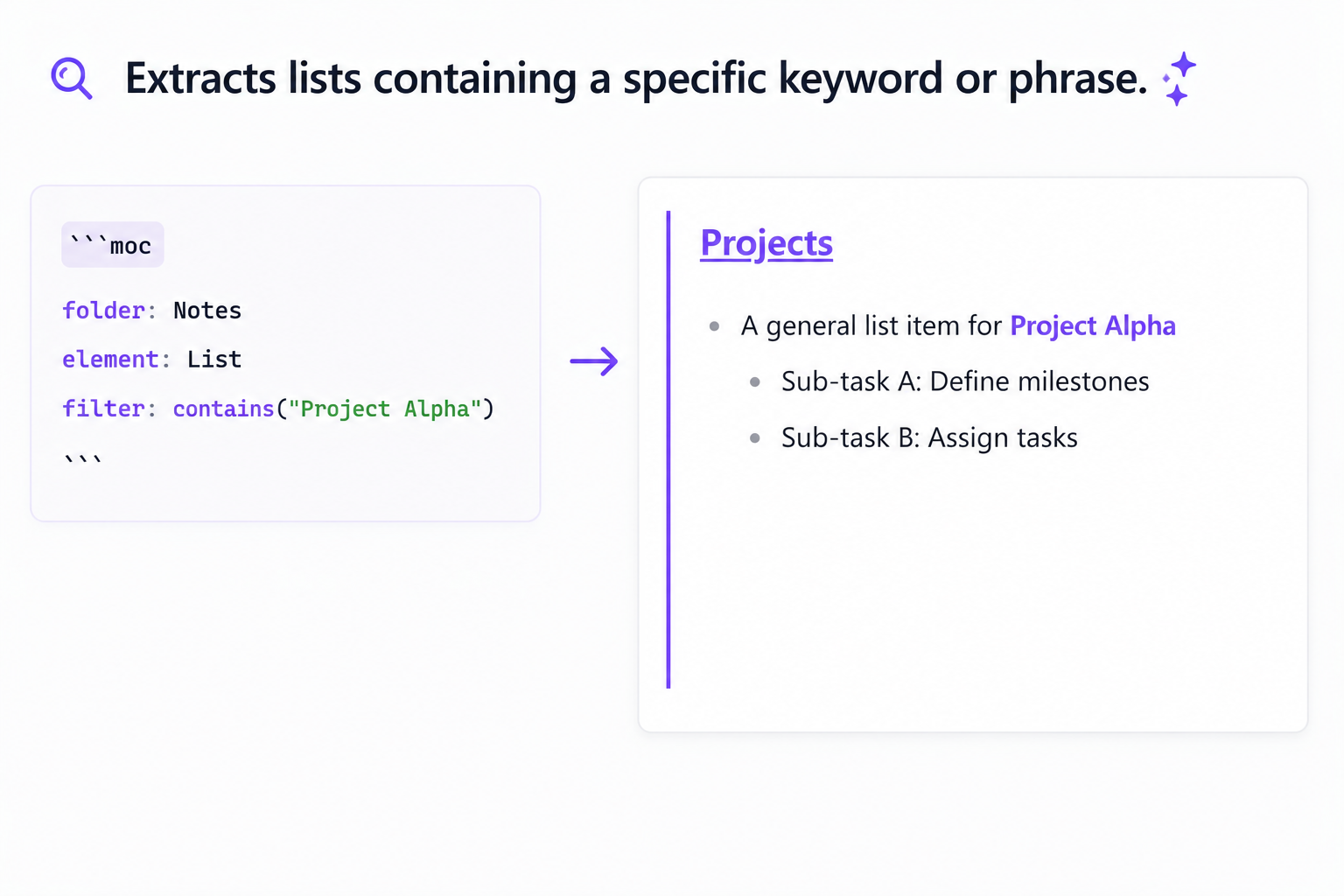
-
- Regular Expressions:
matches("regex_pattern"): Evaluates the element using a regular expression match. Supports optional slash-delimited format with flags (e.g.,matches("/pattern/i")).
- Tags:
has_tag("#tag"): Evaluates if the element contains the specified hashtag (fully tag-aware, case-insensitive, and matches subtags like#tag/subtag).
- Tasks (Only when
elementisTask):-
is_completed(): Matches completed tasks. -
is_incomplete(): Matches incomplete tasks.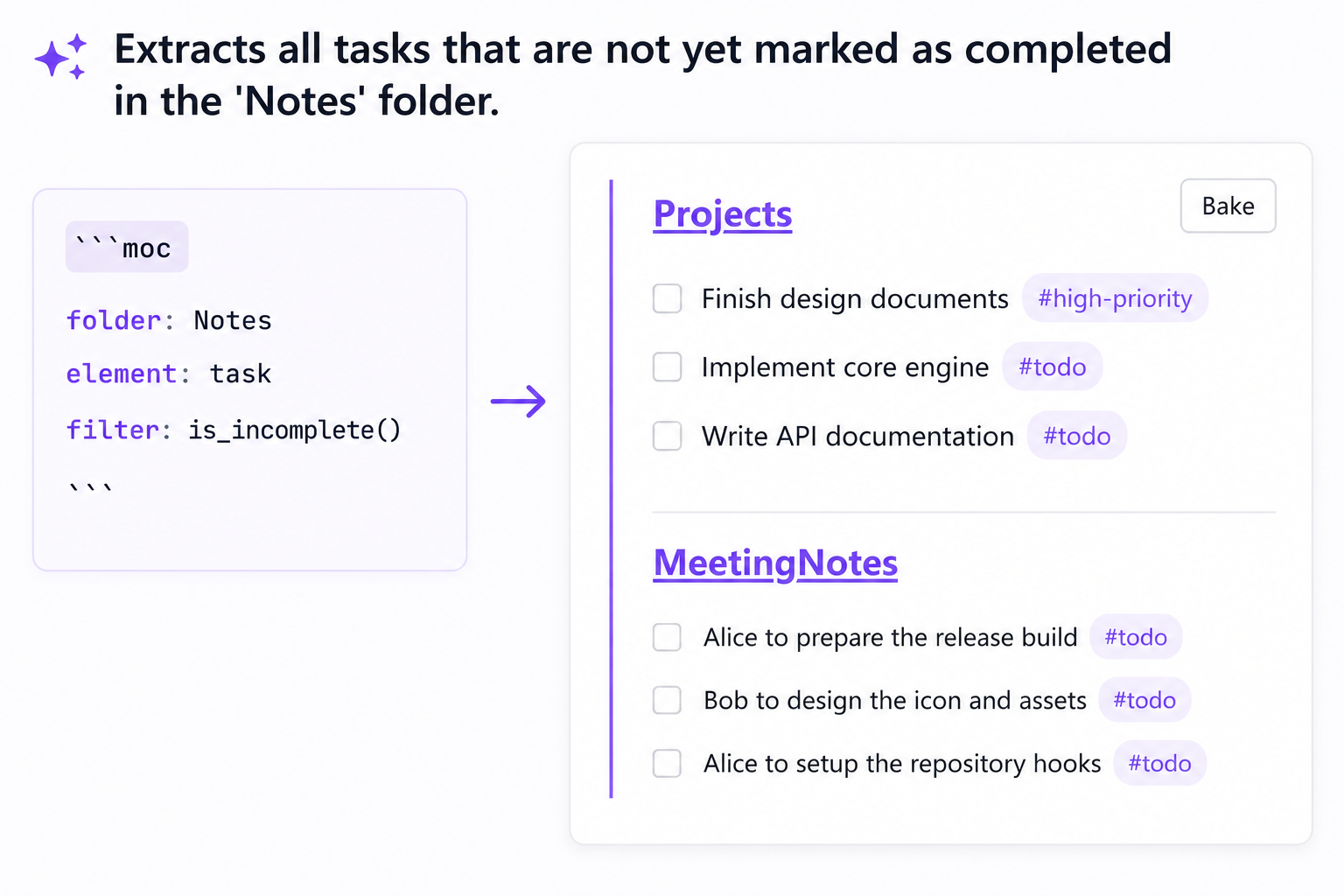
-
- Advanced Metadata/Properties:
-
properties(key == value): Filters the note's frontmatter properties before parsing elements. Only files containing the specified property key matching the value will have their elements processed. -
Example:
properties(status == "active")orproperties(priority == 1)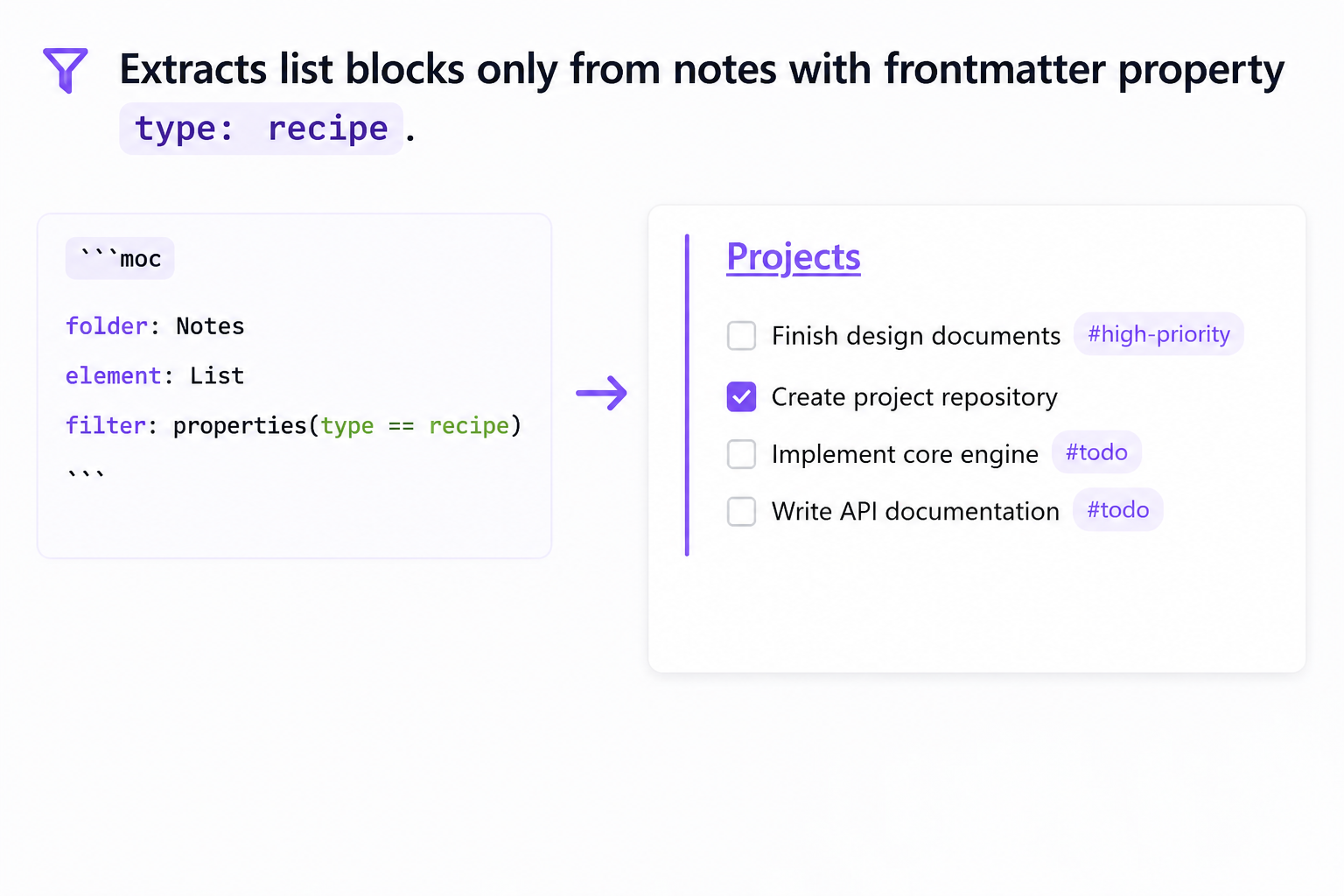
-
Complex Logical Expressions:
You can combine primitive conditions using logical operators AND, OR, and NOT. You can also use parentheses () to enforce precedence.
Example: filter: contains("MOC") AND NOT (is_completed() OR has_tag("#todo"))
recursive (Optional)
A boolean determining whether subfolders of the target folder should also be searched.
- Values:
trueorfalse(defaults tofalse).
groupBy (Optional)
Groups the extracted elements under subheadings.
- Values:
folder: Groups elements by their source note's folder.cday: Groups elements by their source note's creation date (YYYY-MM-DD).mday: Groups elements by their source note's modification date (YYYY-MM-DD).tag: Groups elements by the hashtag(s) found inside the element's text (elements with no tags fall under "Untagged").
sort (Optional)
Sorts the matching source notes before processing and extracting elements.
- Format:
<field> <direction> - Fields:
name(filename),ctime(creation date),mtime(modification date) - Directions:
asc(ascending),desc(descending) - Example:
sort: mtime desc
limit (Optional)
Limits the maximum number of markdown files processed. Must be a positive integer.
- Example:
limit: 10
applyFnR (Optional)
Applies reusable Find & Replace rules defined globally in the plugin's settings to the matched block contents. Can be a single rule name string or an array of rule name strings. If an array is provided, the rules are applied sequentially in the specified order.
- Format:
stringorstring[] - Example (single):
applyFnR: clean-headers - Example (chain):
applyFnR: ["strip-comments", "clean-headers"]
blockSeparator (Optional)
Defines the separator to be rendered between different matched blocks extracted from the same note.
- Values:
none(default): Blocks are joined directly (useful for joining consecutive lists).divider: A horizontal rule---is inserted between blocks.newline: A blank line is inserted between blocks (useful for separating paragraphs).
- Example:
blockSeparator: newline
noteSeparator (Optional)
Defines the separator to be rendered between block groups from different notes.
- Values:
newline(default): A single empty line separates note sections.divider: A horizontal rule---is inserted between note sections.none: Note sections are joined directly without extra spacing.
- Example:
noteSeparator: divider
Dynamic Parameters
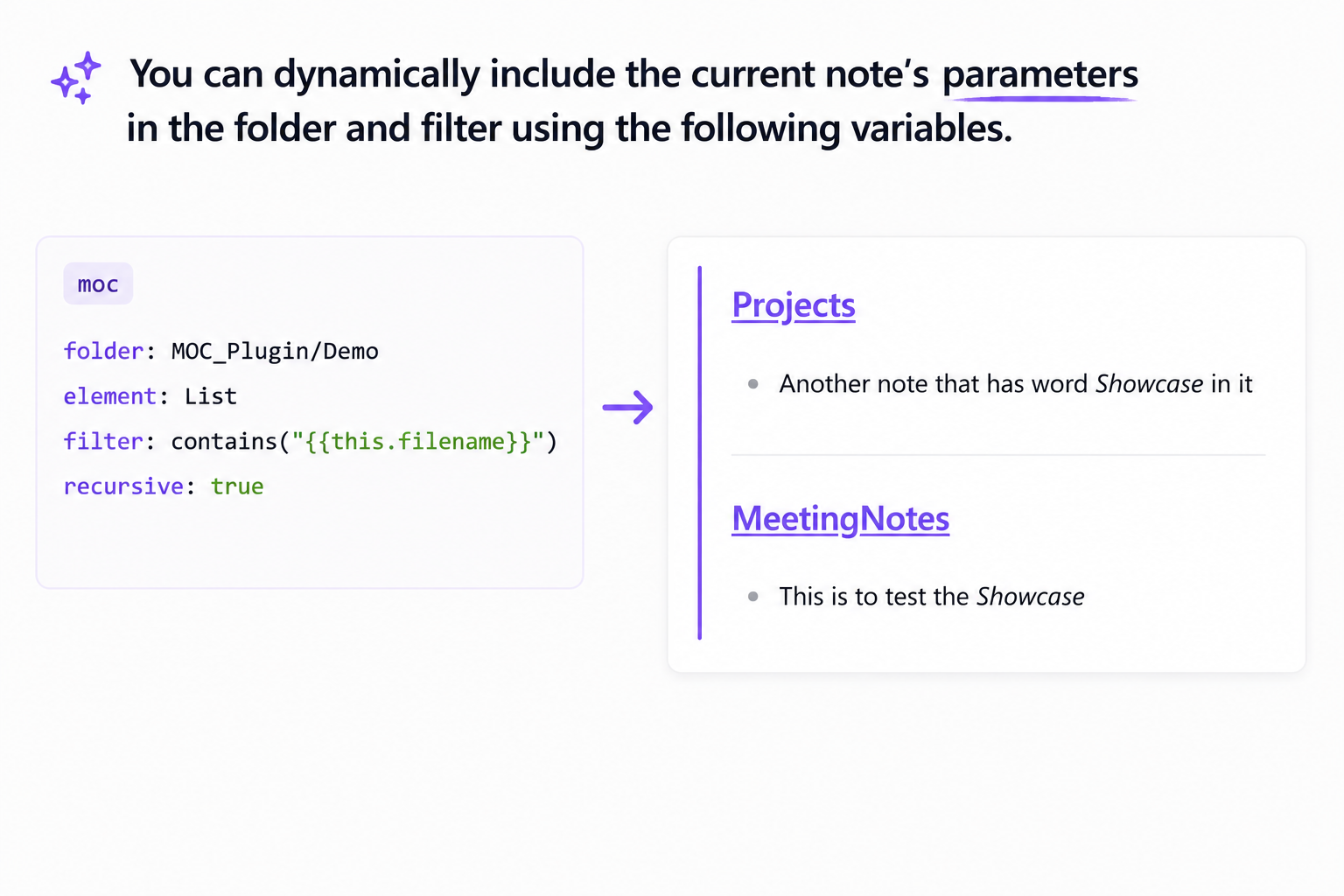
You can dynamically include the current note's parameters in the folder and filter options using the following variables:
{{this.filename}}: Expands to the current note's name (without the.mdextension).{{this.folder}}: Expands to the name of the folder containing the current note.{{this.path}}: Expands to the full path of the current note (without the.mdextension).
For example, to list elements from the Diary folder that contain the current note's name:
```moc
folder: Diary
element: List
filter: contains("{{this.filename}}")
recursive: true
```