BQL Queries
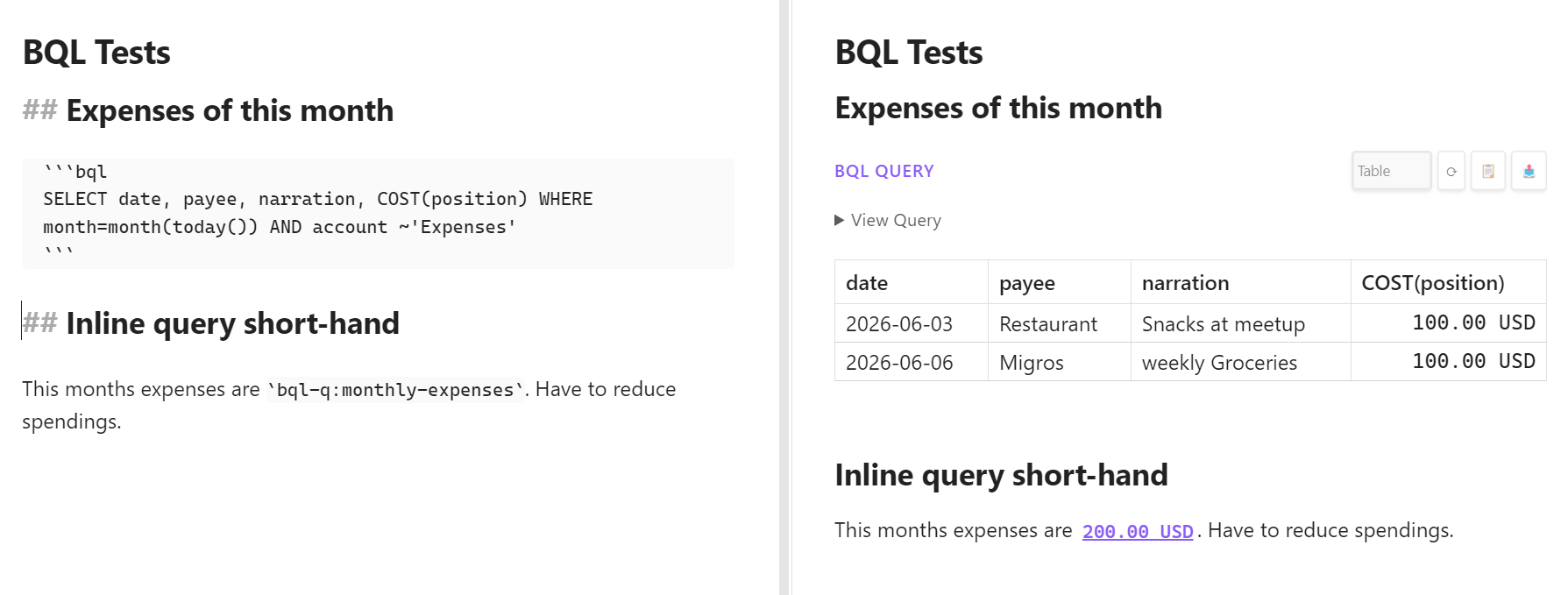
The plugin brings the full power of Beancount Query Language (BQL) directly into Obsidian. You can execute SQL-like queries against your financial data and display the results in your notes.
The plugin supports two distinct modes:
- Code Blocks: For detailed analysis and tables.
- Inline Queries: For embedding live values into your text.
📊 BQL Code Blocks
Use standard Markdown code blocks with the bql language identifier to create formatted, interactive tables.
Single-Line Queries Only: BQL queries must be written on a single line. Multi-line queries will only execute the first line and ignore subsequent lines.
Basic Usage
```bql
SELECT account, sum(position) WHERE account ~ '^Expenses' GROUP BY account
```
Features
- Interactive Results: Sortable columns and responsive layout.
- Tools:
- Refresh (⟳): Re-run the query to get the latest data.
- Copy (📋): Copy the raw CSV results to your clipboard.
- Export (📤): Download results as a CSV file.
- Toggle View: Hide the query code to show only the results table (configurable in Settings).
Common Examples
List All Accounts:
SELECT account GROUP BY account ORDER BY account
Recent Transactions:
SELECT date, payee, narration, position ORDER BY date DESC LIMIT 20
Monthly Expenses:
SELECT year, month, sum(position) WHERE account ~ '^Expenses' GROUP BY year, month ORDER BY year DESC, month DESC
Current Account Balances:
SELECT account, sum(position) WHERE account ~ '^Assets' GROUP BY account ORDER BY account
Top Expenses by Category:
SELECT account, sum(position) WHERE account ~ '^Expenses' GROUP BY account ORDER BY sum(position) DESC LIMIT 10
For more complex query recipes (such as investment tracking, multi-currency reporting, savings rates, and relative date ranges), see the Advanced Queries page.
💰 Inline BQL Queries
Embed live financial values directly in your sentences using single backticks. This is perfect for daily journaling (e.g., "My checking balance is currently...").
Direct Queries
Write a full BQL query inside backticks starting with bql::
My net worth is
bql:SELECT convert(sum(position), 'USD') WHERE account ~ '^Assets'
Named Queries (bql-q:)
For complex or frequently reused queries, define them once as named query directives in queries.beancount and reference them by name anywhere in your notes.
1. Define a Query
Open the Add ribbon (the + icon) and switch to the 🔍 Query tab. Fill in:
| Field | Example |
|---|---|
| Date | 2024-01-01 |
| Query name | my_expenses |
| SQL | SELECT account, sum(position) WHERE account ~ 'Expenses' GROUP BY account |
This appends the following directive to queries.beancount:
2024-01-01 query "my_expenses" "SELECT account, sum(position) WHERE account ~ 'Expenses' GROUP BY account"
2. Use in Notes
Reference your named query with bql-q: followed by its name:
My monthly expenses:
bql-q:my_expenses
The plugin looks up the query from queries.beancount, executes it, and renders the result inline.
3. Manage Queries Directly
You can also edit queries.beancount directly. The format follows the standard Beancount query directive:
YYYY-MM-DD query "name" "SELECT ..."
After saving a new query via the modal, the inline processor cache is cleared automatically — your bql-q: references will reflect the new query on the next note render without reloading Obsidian.